
Sharing & Viewing Secrets
Overview
At times you may need to share secrets stored in the vault with other users within your organization. Cyolo supports this functionality in a secure, robust manner.
Note
- You can assign specific secrets for sharing or groups of secrets.
- See How to Create Labels for Secrets.
Sharing Secrets
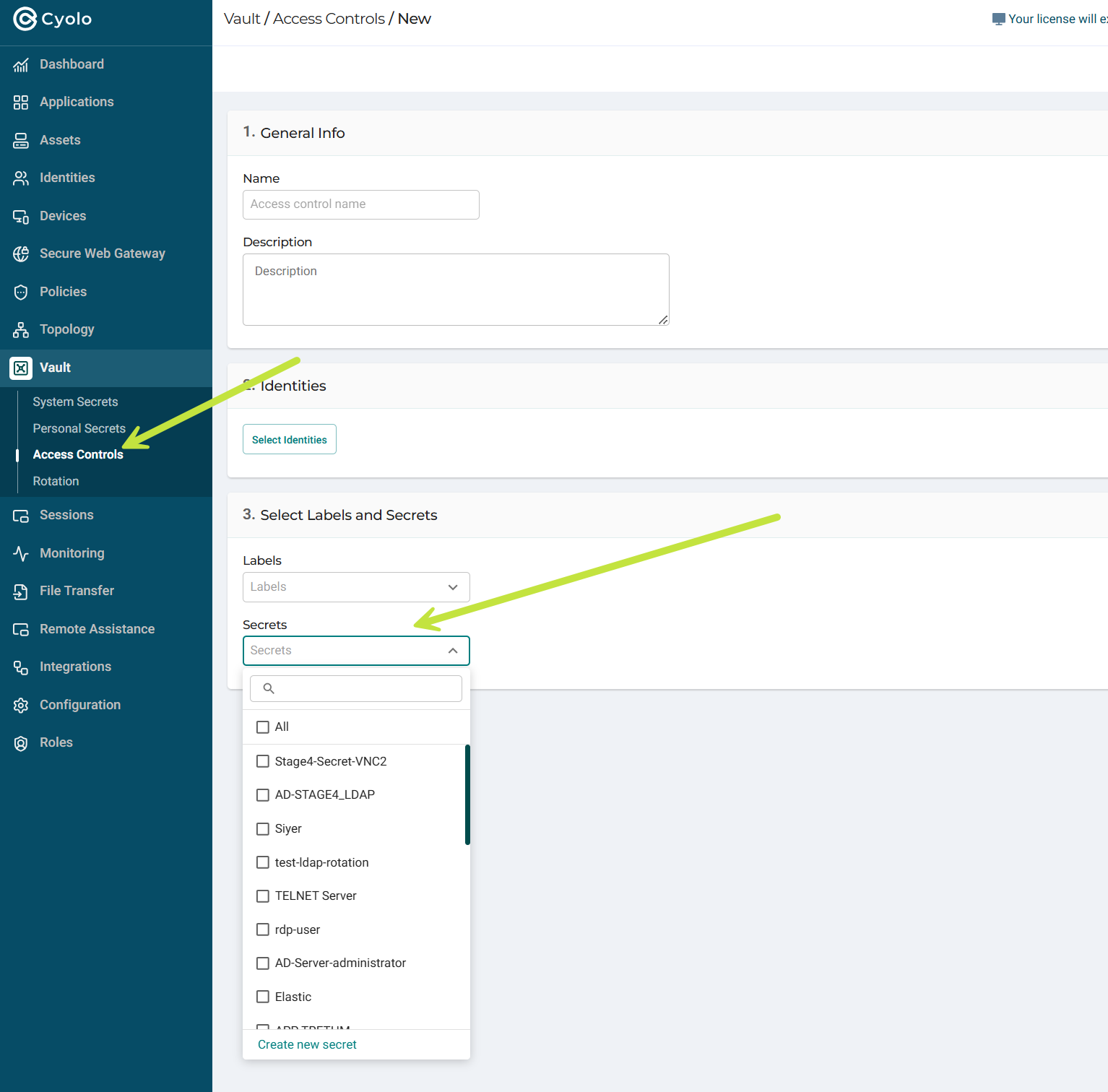
- Navigate to Vault > Access Controls.
- Create a new access control.
- Set basic parameters.
- Set the Identities you want to share the Secret with.
- Under Select Labels and Secrets, choose one or more Secrets.
Viewing Secrets
To view a secret:
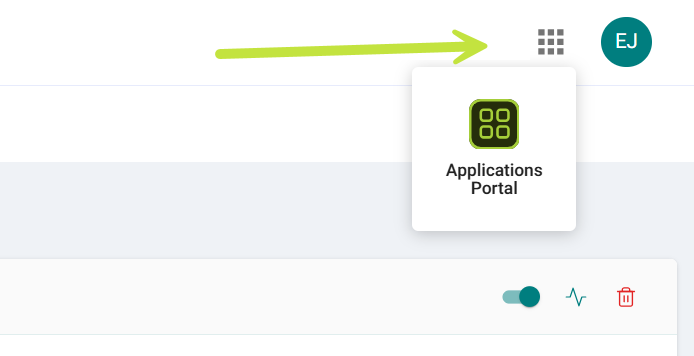
- Click the profile menu at the top right of the screen and select Applications Portal.
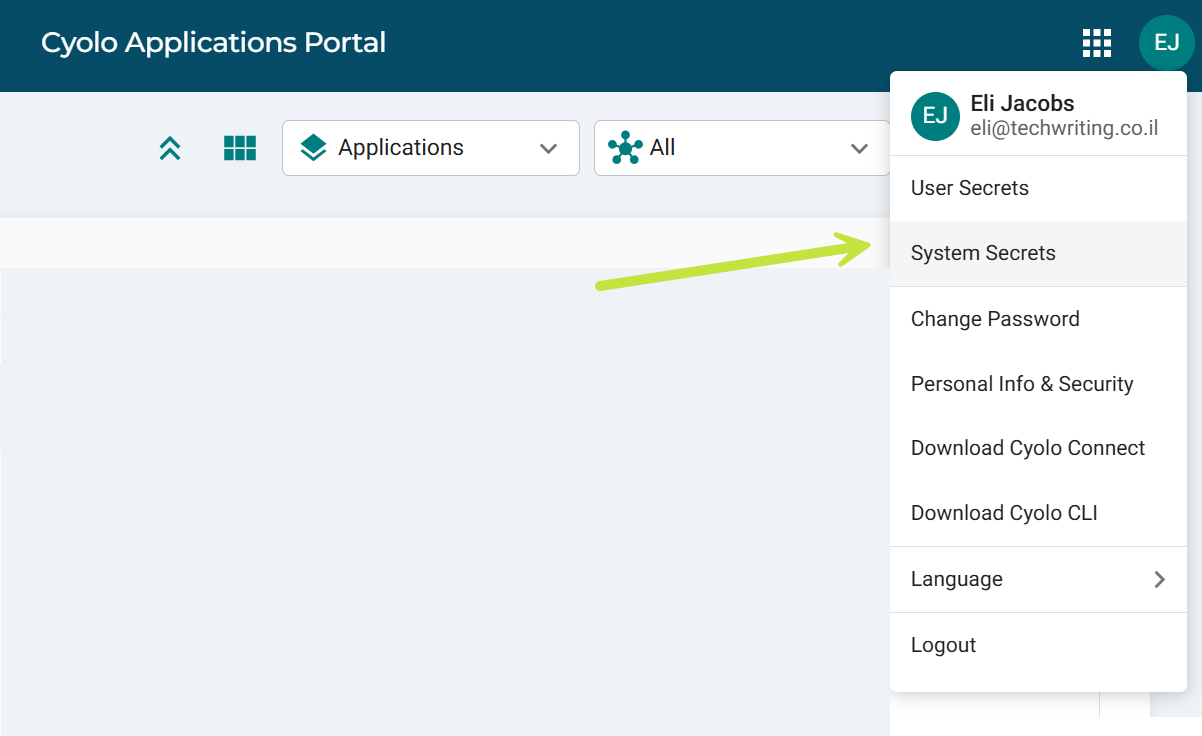
- Click the profile menu and select System Secrets.
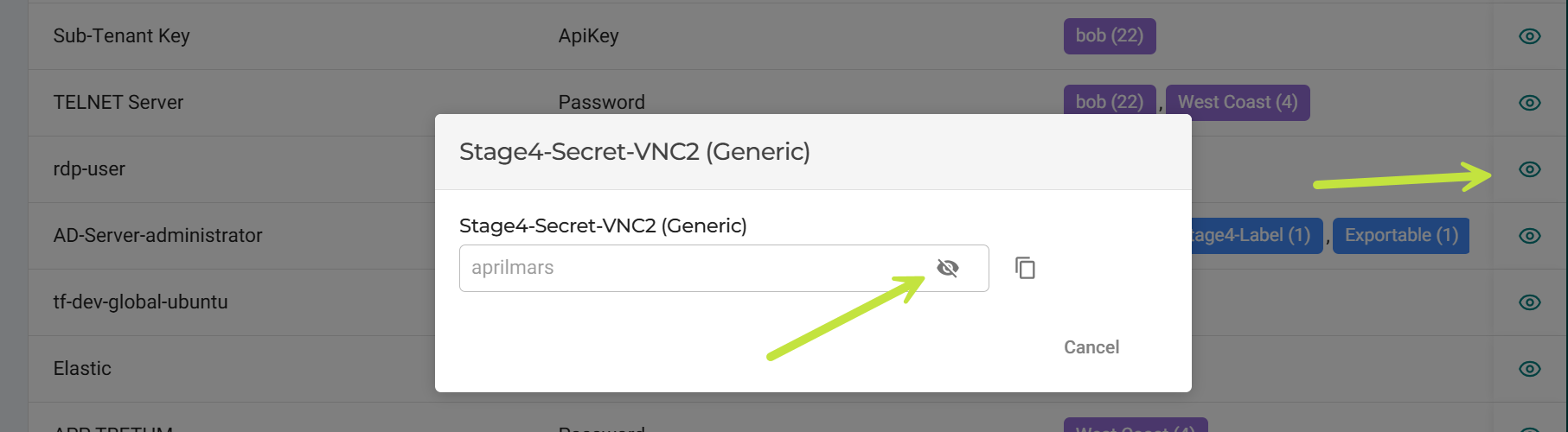
- Click the Preview icon at the far right of the secret row, and then click the View icon.
Updated 30 days ago
Did this page help you?