
Application Access Groups
Overview
Access Groups control application access by defining access rules that are inherited by applications associated with the group.
An application may belong to multiple Access Groups and inherits rules from all relevant groups. The platform determines the final access decision by applying application-level rules first, then applying inherited group rules according to Cyolo's rule engine semantics.
There are two types of Access Groups: Static and Dynamic.
Static Access Groups
About Static Access Groups
In a Static Access Group, applications are explicitly assigned by an administrator. Assigned applications automatically inherit the group's access rules. Static Access Groups are best suited when a known, fixed set of applications must consistently share the same rules.
Creating Static Access Groups
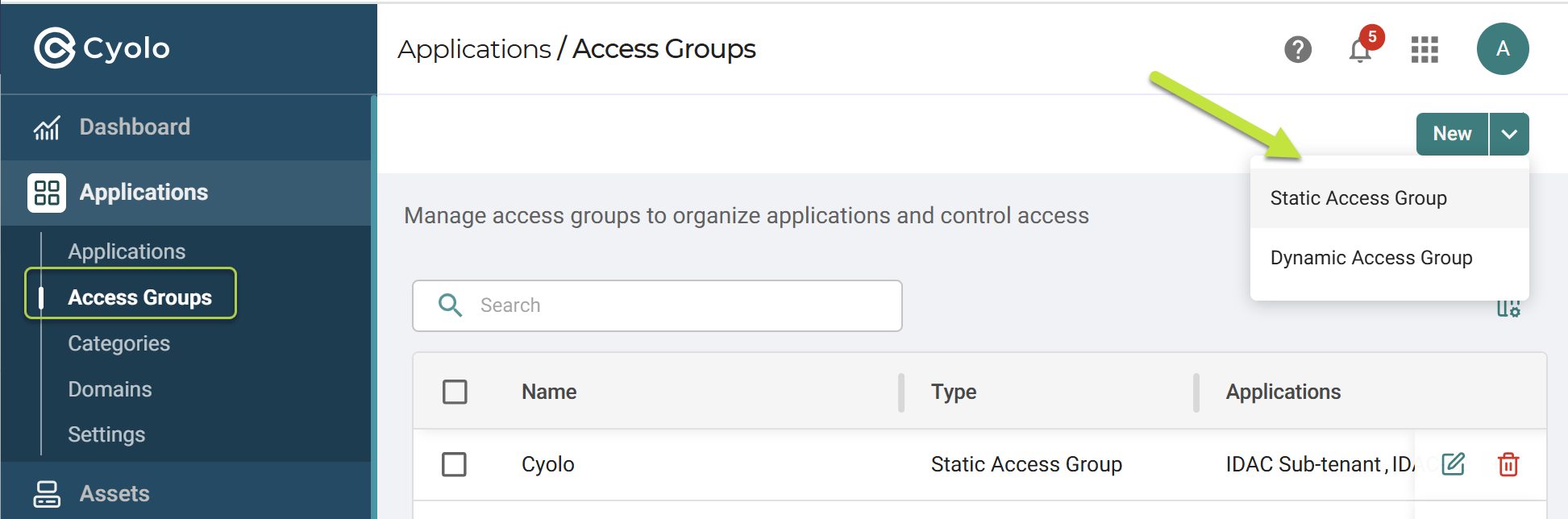
- In the Admin Portal, navigate to Access Groups, click New and then select Static Access Group.
- Enter a unique group name.
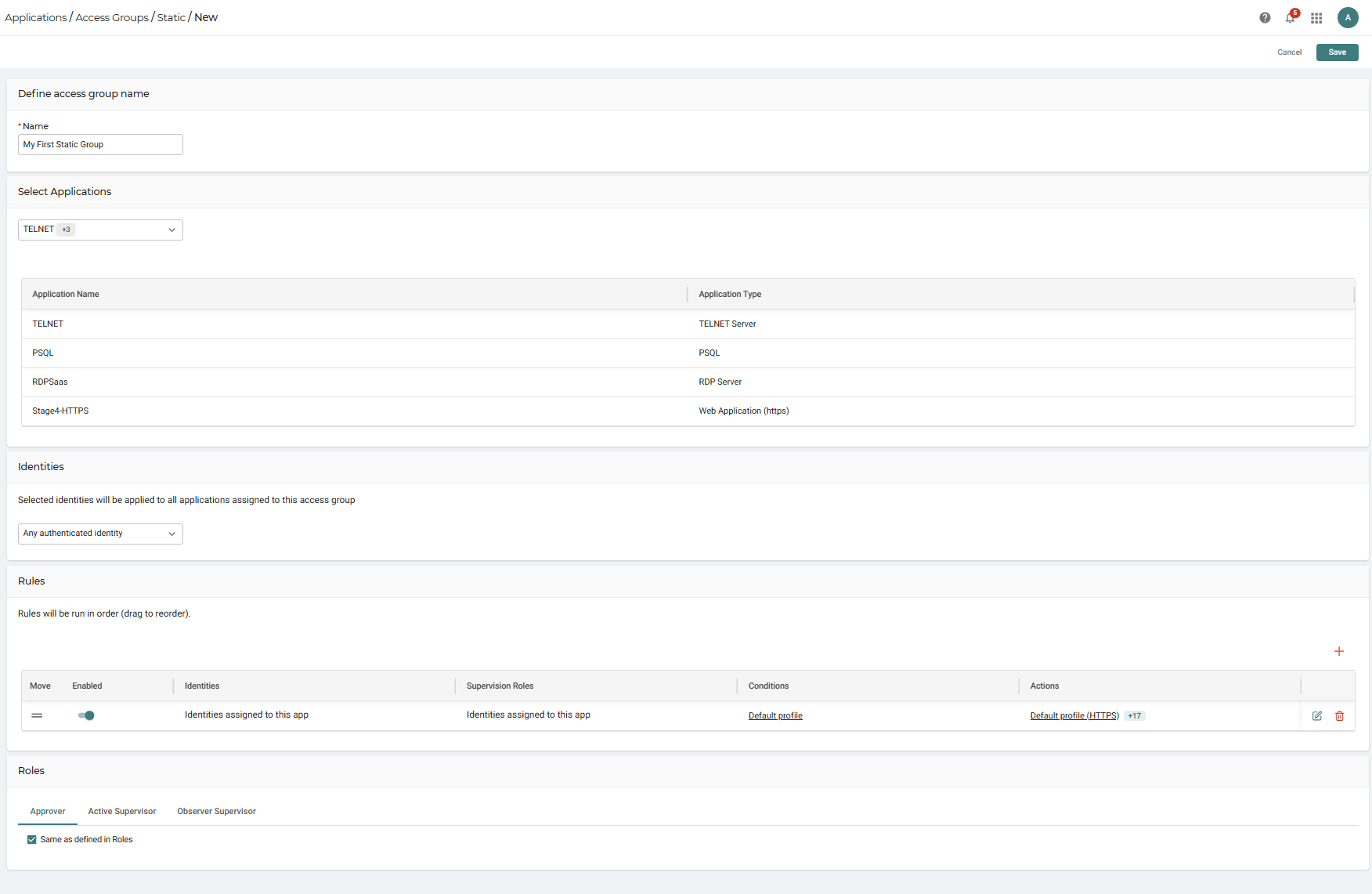
- Assign applications explicitly to the group. Assigned applications automatically inherit the group rules.
- Define the identities, access rules, and optional roles for the group.
- Click Save.
Dynamic Access Groups
About Dynamic Access Groups
In a Dynamic Access Group, applications are included automatically based on defined filters. Filters are evaluated continuously, and applications are added or removed as they match or stop matching filter criteria. Dynamic Access Groups are best suited when application membership should follow attributes rather than manual assignment.
Creating Dynamic Access Groups
- In the Admin Portal, navigate to Access Groups, click New and then select Dynamic Access Group.

- Enter a group name and optional description.
- Define one or more filters using application and/or asset attributes.
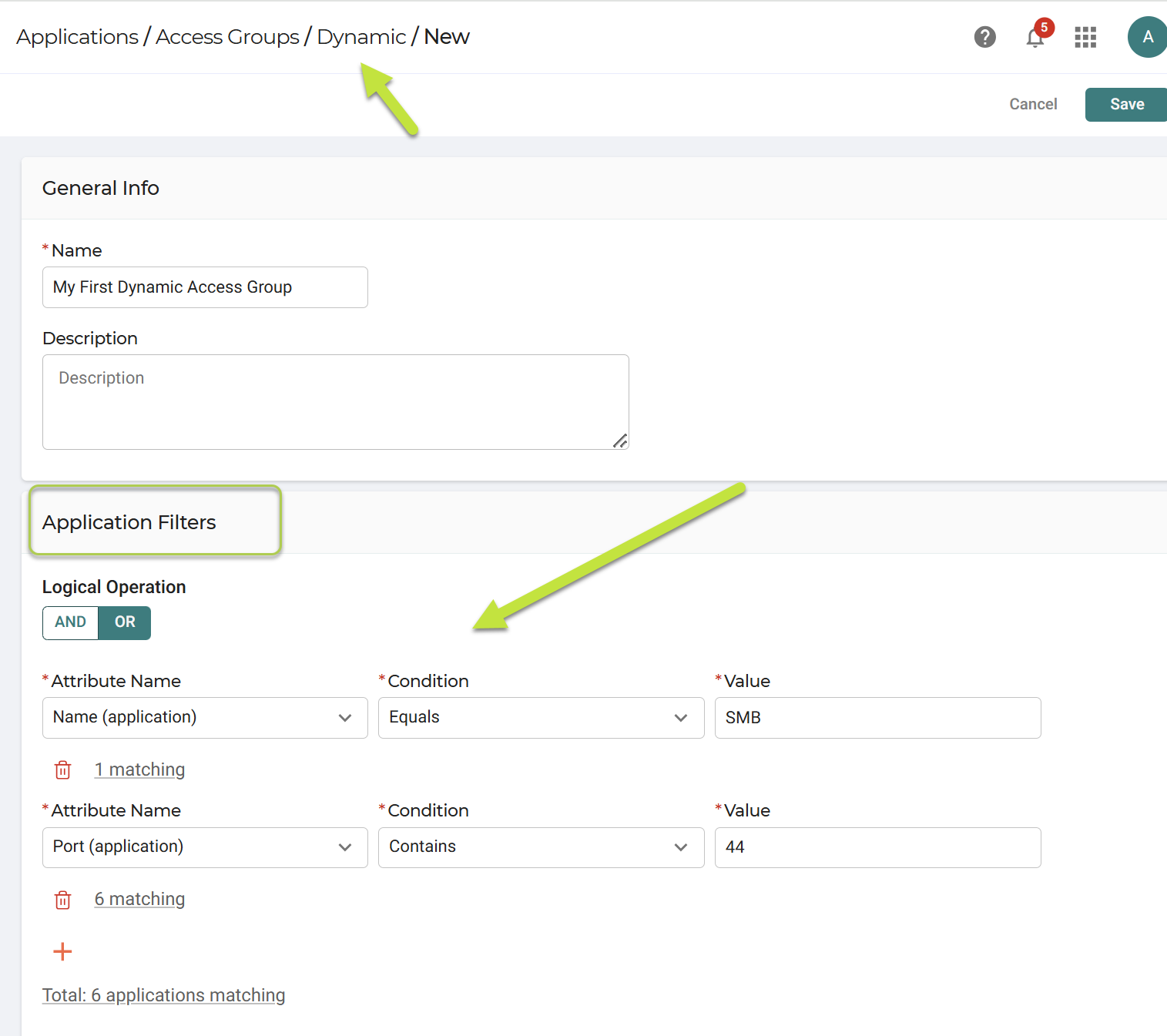
- Choose whether filters are combined using AND or OR logic.
- Review the live match count for each filter and the total number of matching applications.
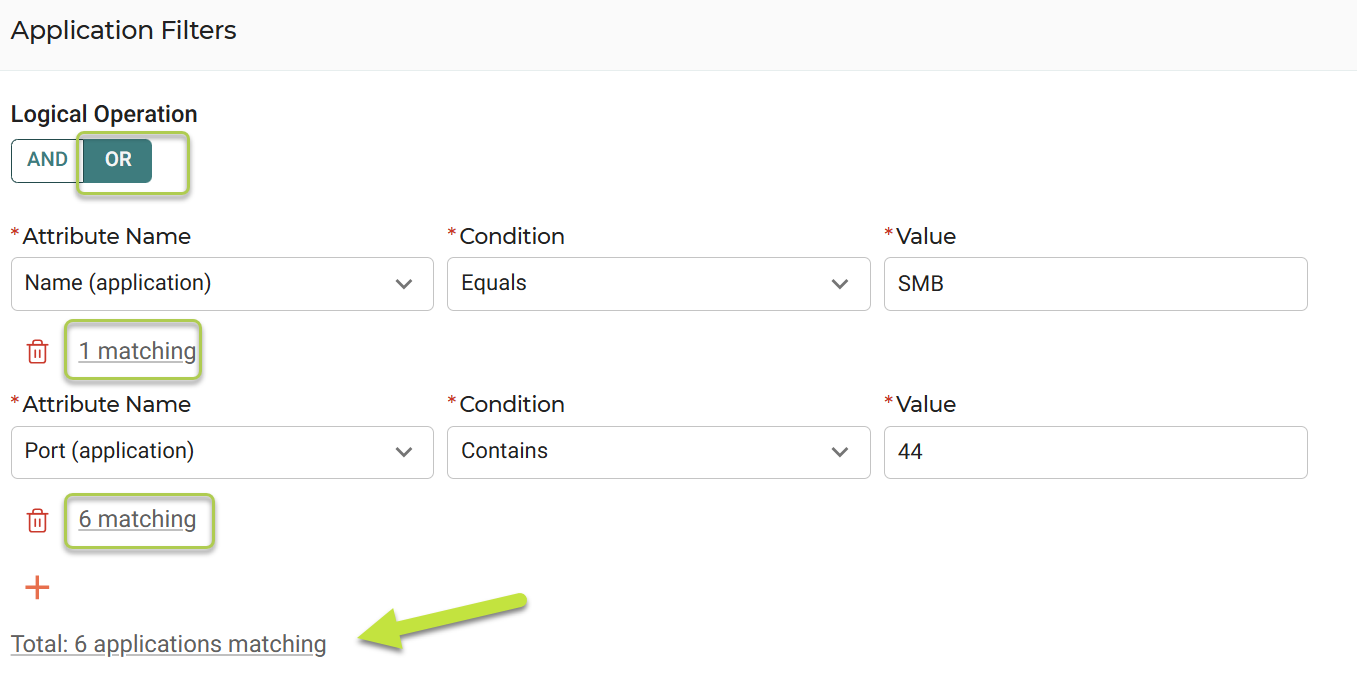
- Adjust filters until the scope matches the intended set of applications.
- Define the access rules the group should enforce, including identities, conditions, and actions.
- ClickSave.
Applications that match the filters automatically inherit the group rules. Applications that no longer match are removed automatically.
Updated 6 months ago