
Remote Assistance
Overview
Secure Remote Assistance in Cyolo enables administrators and support personnel to securely access and assist remote endpoints through a controlled, identity-based workflow. Every session is tied to user identity, device context, and admin policy, with built-in session logging, recording, and policy-controlled privilege elevation.
How It Works
- Request/Initiate: A user opens a support request from Cyolo Connect, or an assistant initiates a session directly to an eligible endpoint, depending on policy configuration.
- Authorize and scope: Cyolo enforces who can assist whom, which endpoints are eligible, and whether the session requires user confirmation (attended) or not (unattended).
- Assist: The assistant connects to the endpoint. All actions are governed by policy, logged, and recorded. Privilege elevation (Release 7.0 and later) allows authorized admins to choose whether a session runs as the signed-in user (limited permissions) or as System; this can be permitted or blocked per policy and is fully audited.
Prerequisites
Before configuring Remote Assistance, ensure the following are in place:
- An IDAC is deployed (on-premises or cloud).
- Cyolo Connect is installed on all endpoints that will request or receive assistance.
- The configuring admin has the roles required to manage Remote Assistance settings.
Setup
- Define which users or groups are authorized to provide assistance (Assistants).
- Define which users, groups, or endpoints can receive assistance (Recipients/Targets).
- Configure group-based assignment to define which operator groups are supported by which support groups.
- Configure attended vs. unattended behavior and set recording and logging defaults.
- Configure privilege elevation policy, including permitted roles, prompts, and constraints.
Admin Console
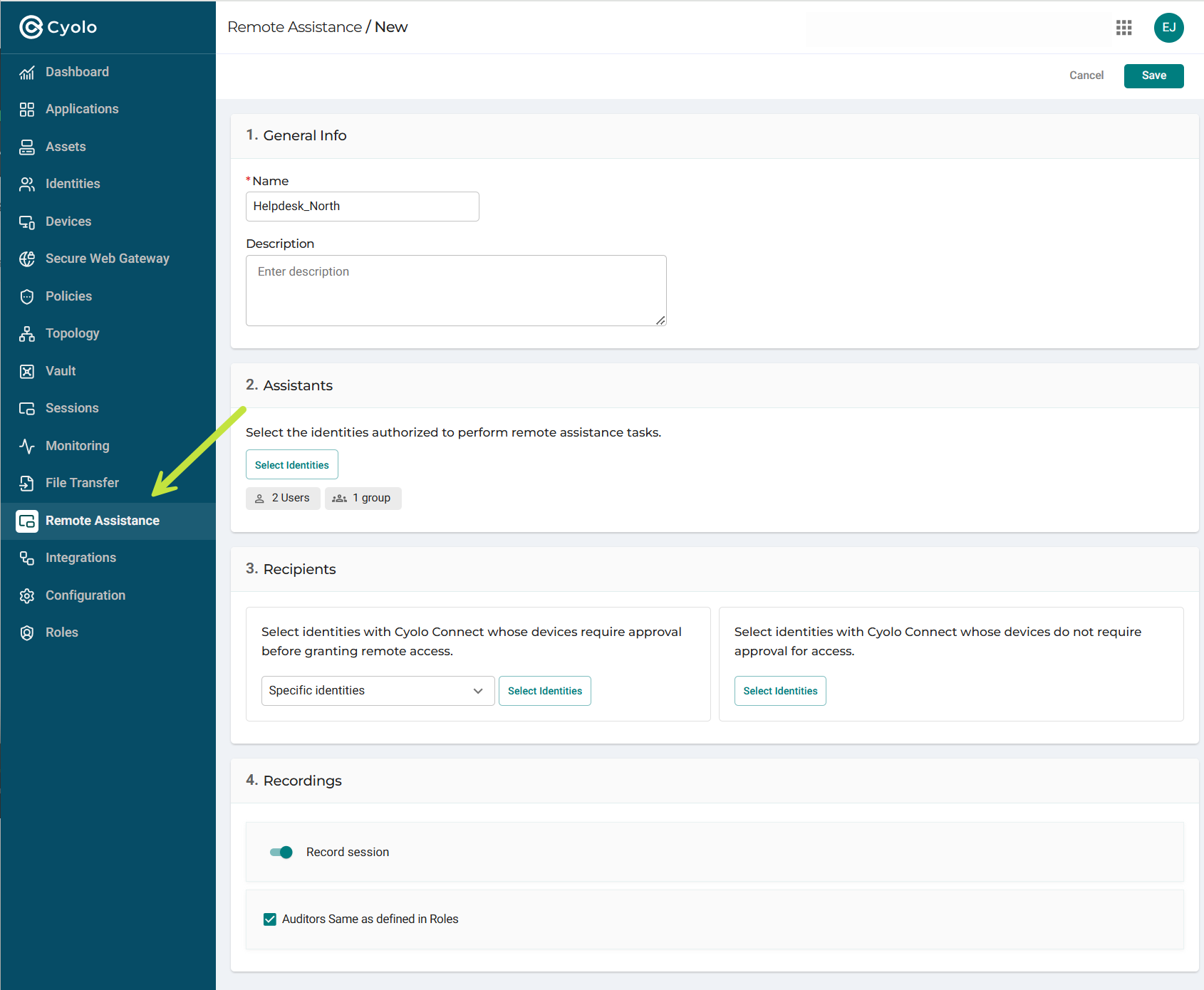
The Remote Assistance admin page is where the primary governance controls are defined:
- Assistants: The identities (users or groups) authorized to perform remote assistance.
- Recipients: The Cyolo Connect identities or devices that require user approval before a session can begin (attended), or that allow sessions without approval (unattended). This is the primary control point for defining who can assist whom, and under what approval mode.
Assistant Portal
The Assistant Portal provides two views for managing and initiating Remote Assistance sessions.
Open Requests
Displays the incoming support request queue for helpdesk staff and assistants. Each request includes metadata such as device model, requester identity, OS, contact information, and request description. Assistants can acknowledge a request or start a session directly from this view.
Device Inventory
Displays an inventory of endpoints eligible for Remote Assistance, grouped by user. Assistants can browse or search devices and review device state, OS, and contact details before selecting an endpoint to initiate a session, subject to the configured governance rules.
Note
The Cyolo Dashboard displays data about active and pending supervision sessions.
Updated 22 days ago