
How to Create a Password Policy
Password policies set the baseline standards for user passwords to enhance login security. This article will guide you through the process of creating a password policy in the Cyolo Application Portal and applying it to a local identity provider profile.
Prerequisites
Before you begin, ensure you have the following administrator privileges to create and manage password policies.
Create a Password Policy
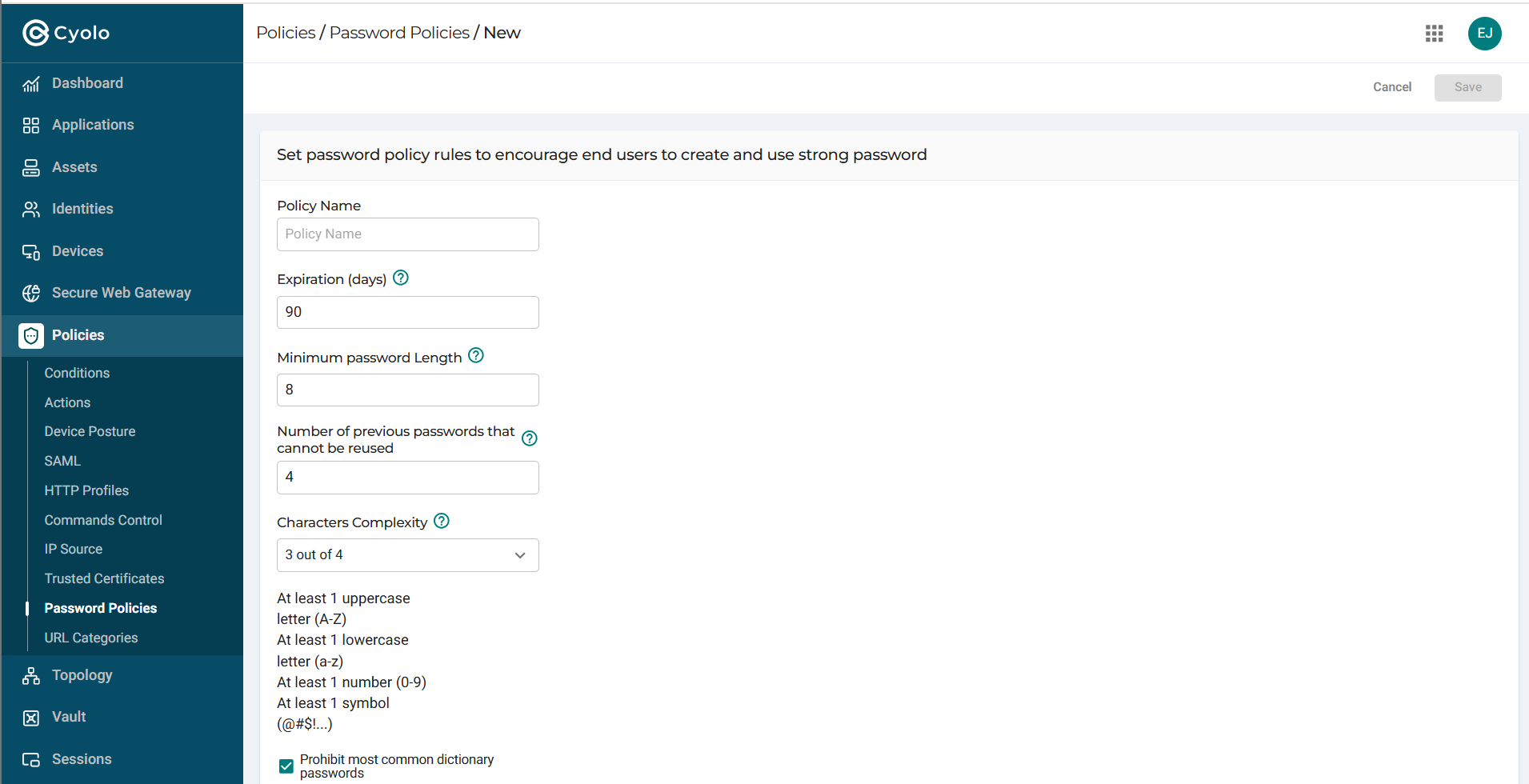
Navigate to the Policies > Password Policies page and complete the fields.
Note: The Password Policies page has a default policy with constraints auto-filled. This policy cannot be edited or deleted.
Note on Characters Complexity: Select which among the four complexity options must be applied to the password. The default is set to 3 out of 4.
Apply the Password Policy to a Local Identity Provider
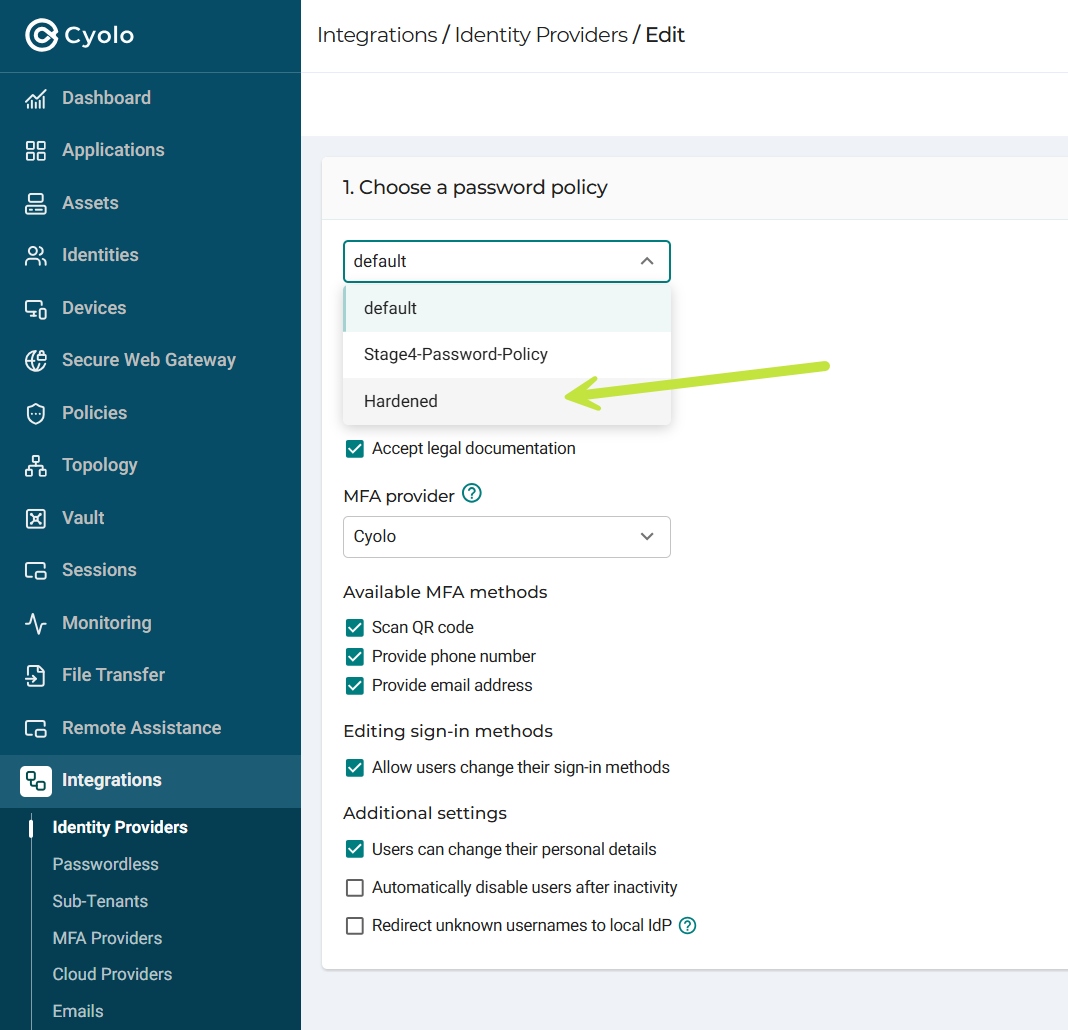
Now you can apply the new passowrd policy to the Local Provider. Forfurther details, see Configuring the Local Identity Provider.
Additional Notes
- Password Complexity: Ensure that your password policy enforces strong password practices to prevent unauthorized access.
- Regular Updates: Periodically review and update password policies to adapt to new security challenges and standards.
- User Training: Educate users on the importance of strong passwords and the specific requirements of your password policy.
Updated 2 months ago