
Creating a New Application
Overview
Create a new application to securely provide access to internal resources.
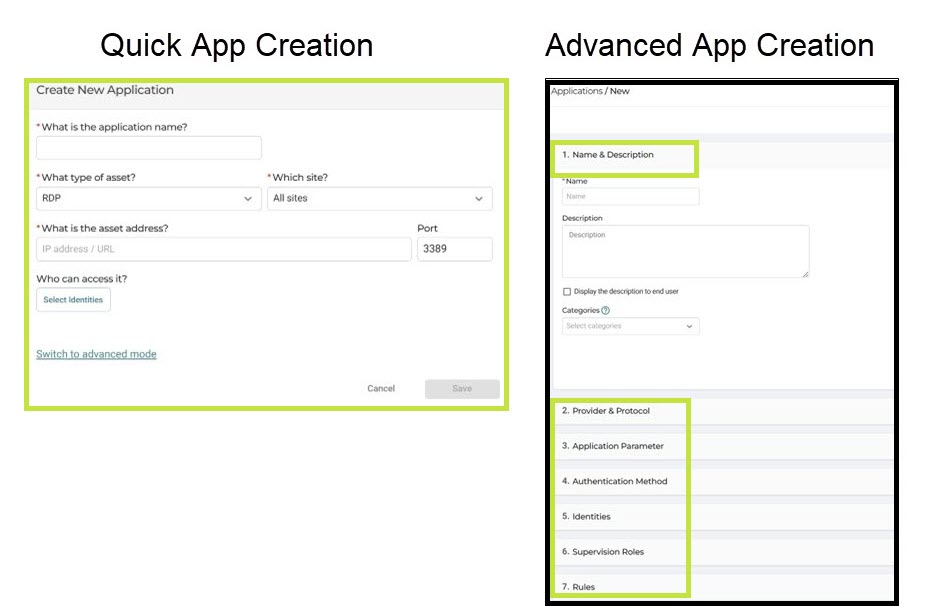
Cyolo provides two ways to create an application:
- Quick creation for fast setup with minimal required fields
- Advanced mode for full configuration
Quick vs Advanced
- Quick creation is intended for rapid app creation using only required fields.
- Advanced mode provides full control over connection settings, authentication, and access policies.
Note
Regardless of the method you use to create an app, you can edit all app settings at any time.
Create App - Quick Creation
Use this option when:
- You need to create an application quickly
- Default or minimal configuration is sufficient
After creating the application, you can edit it in advanced mode to configure additional settings.
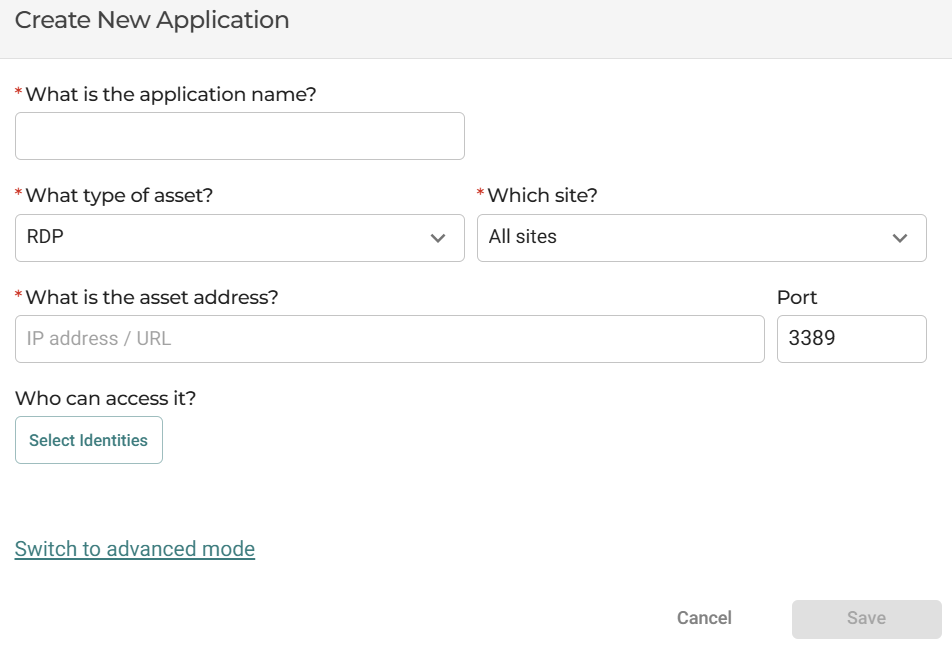
The quick creation dialog includes a minimal set of required fields:
- Application name
- Asset type
- Site
- Asset address
- Port, when applicable
- Identities - see more details here
Create App - Full/Advanced Method
To create a new app and advanced settings:
- Navigate to Apps and then click New.
- Click Switch to Advanced Mode.
The advanced flow includes the steps listed below.
See full details for Configuring an App.
Advanced Mode Structure
The advanced configuration flow includes the following sections:
- Name & Description
- Provider & Protocol
- Application Parameter
- Authentication Method
- Identities
- Supervision Roles
- Rules
Updated about 1 month ago
Did this page help you?