
Steps 5–7: Identities, Supervision Roles, and Rules
Overview
This page describes steps 5–7 of the application configuration flow.
These steps are used when:
- Creating a new application in advanced mode
- Editing an existing application
This part of the flow includes:
- Identities: Define who can access the application
- Supervision Roles: Define who can approve, monitor, or audit access
- Rules: Define how access is controlled using identities, conditions, and actions
See Also:
Step 5: Identities
Define who can access the application.
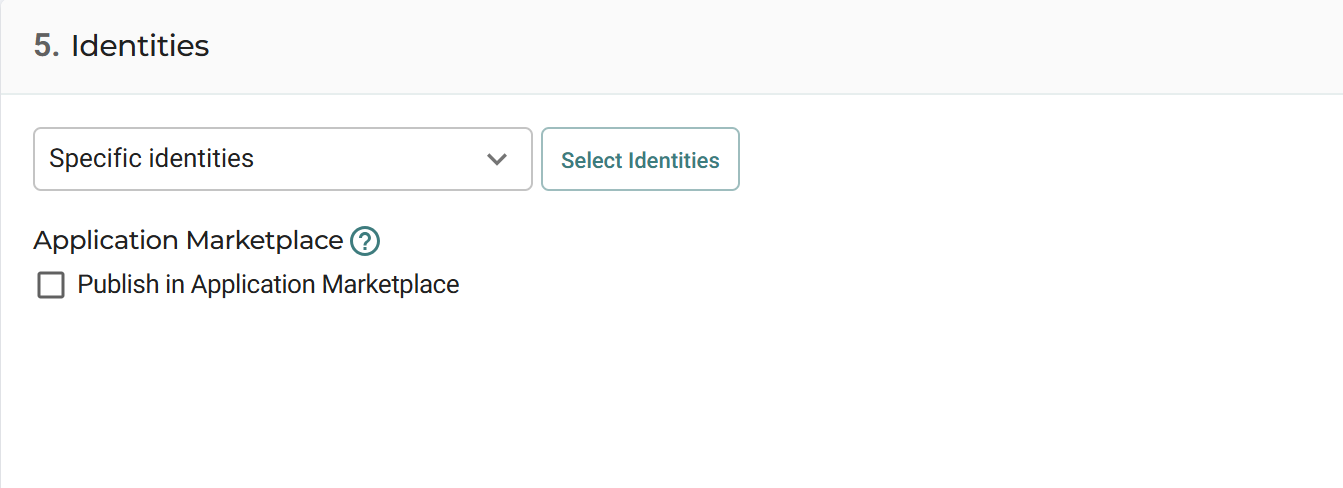
Available options include:
- None: No users can access the application
- Anonymous identities: Anyone with the application URL can access it
- Any authenticated identity: Any logged-in user can access the application
- Specific identities: Only selected identities can access the application
When selecting Specific identities, you can choose from:
- Users
- Groups
- API Keys
This section can also include options for publishing the application to the Application Marketplace.
Supervision Roles
Define supervisory access and session control.
See also Configuring Supervision.
Supervision enables additional control over user access and activity.
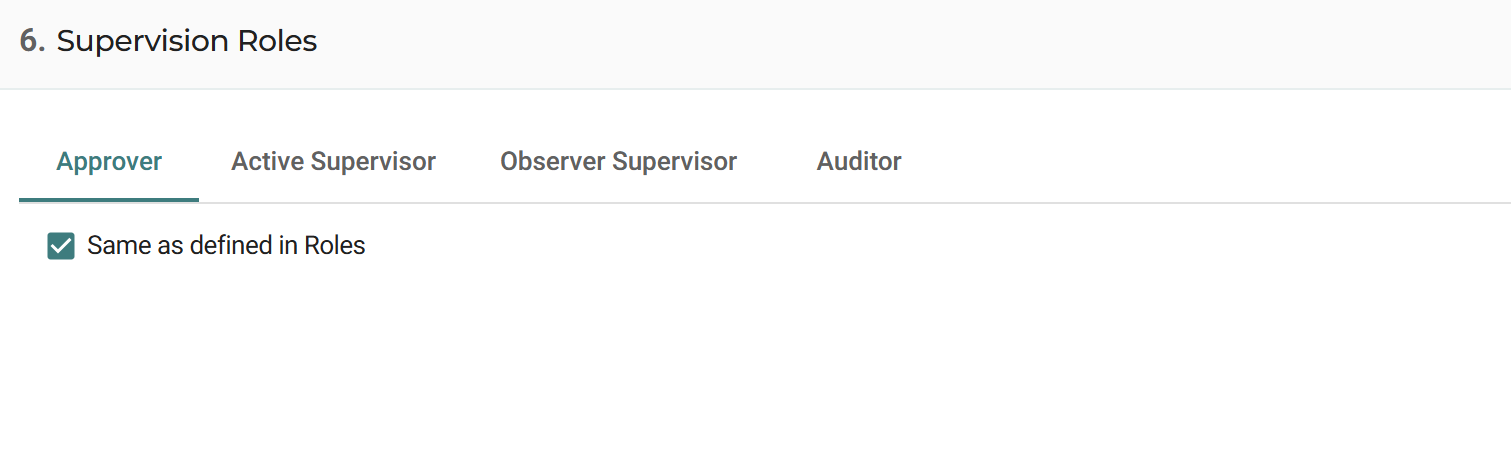
Roles include:
- Approver: Can approve or deny access requests and terminate sessions
- Active Supervisor: Can join sessions interactively and terminate them
- Observer Supervisor: Can monitor sessions without interacting and terminate them
- Auditor: Can replay recorded sessions
By default, supervision roles are inherited using Same as defined in Roles.
To assign roles directly to the application, clear this option.
Rules
Define rule-based access control for the application.
Rules determine whether and how users can access the application.
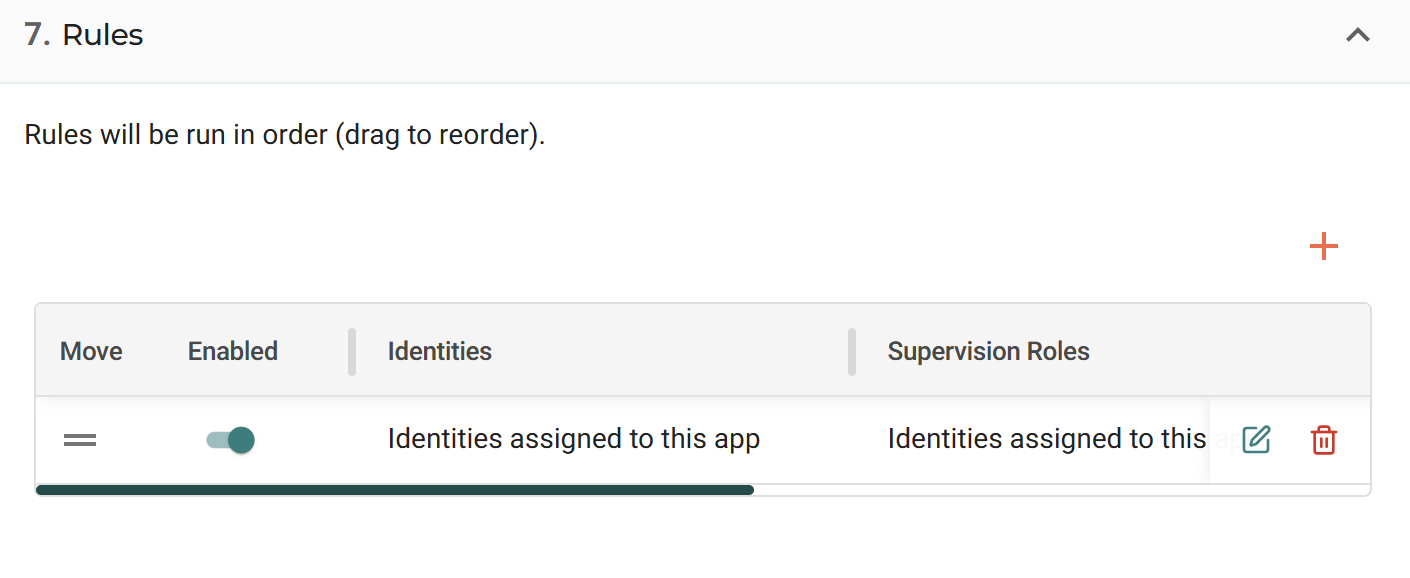
Each rule combines:
- Identities
- Conditions
- Actions
Key behavior:
- Rules are evaluated in order
- Multiple rules can be defined
- Rules can be reordered
- Applications can inherit rules from categories
- Default rules are created automatically based on the application type
Each rule can define:
- Which identities it applies to
- Which conditions must be met
- Which actions are enforced
For detailed information about conditions and actions, see Policies.
Updated 4 months ago