
Copy of Other Global Settings
The Global Settings page under the Configuration menu on the Cyolo admin portal has options to configure conditions that are enforced on users of the Cyolo Application Portal and the admin portal. These conditions are enforced in addition to conditions configured in policies.
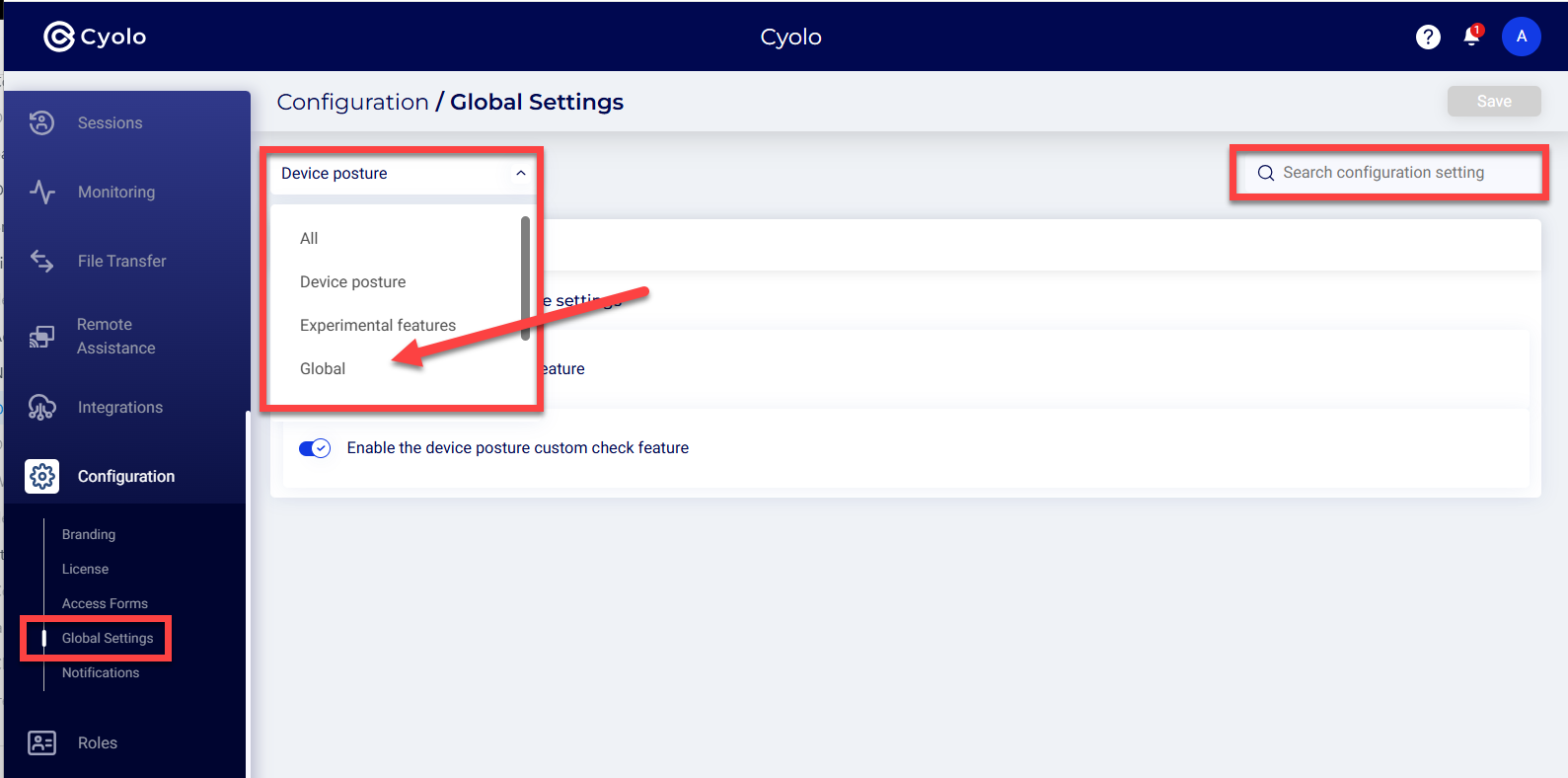
Use the dropdown menu to navigate to a group of settings (e.g, USer, Device Posture, etc.), or search for a specific setting.
Explanations of each setting appear below
Users
Require MFA -- Require MFA from users accessing the application portal.
Require device certificate -- This setting is disabled by default. If enabled, users must have a device certificate in their certificate store signed by the CA selected here. There are two options to set the CA:
-
Any certificate -- Selecting this option allows a device with a certificate signed by any CA, whether private or public.
-
Trusted certificate -- Select this option and choose the CA certificate from the drop-down list. The CA certificate must have been uploaded on the Policies > Trusted Certificates page to appear on the list.
For more information on uploading CA certificates, refer to the section: How to Create a Trusted Certificate.
Enforce session fingerprinting -- Enabling this option will require users to log in using the same device that they used to log in the first time.
Admin Console
When users access the admin console.
Enforce session fingerprinting - Enabling this option will require admins to log in using the same device that they used to log in the first time.
Device Posture
Enable the device posture feature - This is disabled by default. Until this is enabled, the Device Posture menu will not be displayed under the Policies page.
Enable the device posture custom check feature -- Enable this option to enforce the conditions configured on the Policies > Device Posture page.
Experimental Features
DesktopApp protocol - Disabled by default. If enabled, an application named DesktopApp can be configured on the Application page. A new tile called DesktopApp is displayed under Applications > New > Provider and Protocol > Networks.
Enhanced Native RDP - Enabled by default. Enabling this option will add enhanced capabilities to native RDP sessions. For example:
- Full SSO, in the same way as is available in Web RDP.
- Recording of the RDP sessions in the GUAC format (per Action definition) - similar to the recordings of Web RDP.
Global
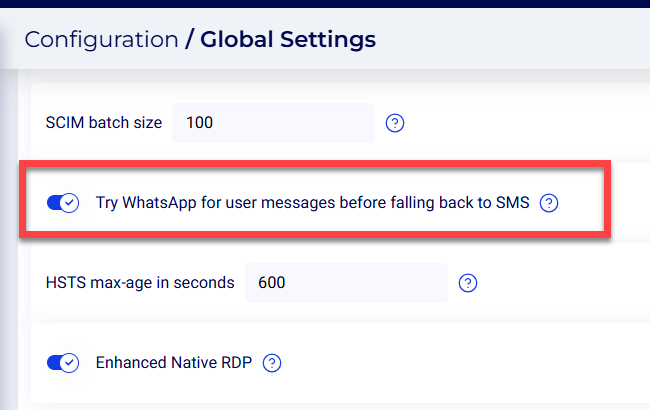
WhatsApp - When WhatsApp is enabled, the system will first attempt to reach users via Whatsapp. If the message sending fails, the system will then send a message via SMS.
Enable system apps bugsnag -- This option will enable monitoring of mobile application performance, bugs, and stability.
Password expiry notice days - Set the number of days to alert the user before expiry of local or LDAP passwords. The default is set to 14 days.
Syslog Escaping Characters -- Certain characters could be interpreted in unintended ways by the Cyolo platform when processing log messages, leading to unexpected consequences. To avoid this, enter the characters that must be escaped and processed as-is when generating syslog messages.
Translate application links between policies -- This option translates web application URLs across all authorized policies.
Enable CSP protection - Disabled by default. Enable it for Content Security Policy protection to be implemented on browsers against threats, such as Cross-Site Scripting, data injection attacks etc.
LDAP-based IdP sync interval (minutes) -- Set the interval for syncing users and settings of integrated LDAP- based identity providers. The default is 60 minutes.
Digital experience monitoring -- This option monitors the latency within the network.
Send supervision-related messages only through enrolled channels -- When a user is assigned as a supervisor, they receive email and SMS alerts only if the user has enrolled using email and SMS.
Media Replication
Replicate media across IDAC instances - When enabled, recording and application icons are replicated across IDAC instances. Disable if replication is handled externally.
Recordings - Session recording settings.
Enable lease recording mechanism - Disabled by default. The lease mechanism takes into account the available storage against the estimated size of the recording and the threshold level.
Estimate per recording in megabytes -- This setting works in tandem with the lease recording mechanism feature. Set the estimated size of each recording. The default is 100 megabytes.
Safety threshold for the recording leaser in megabytes -- Set the minimum available size for the recording to begin. The default is set to 2000 megabytes.
Session recording retention days -- Set the number of days for a session recording to be retained. The default is 0 days.
Enforce session fingerprinting -- When enabled, admins must access recordings from the same device they first logged in to.
Global auditors can manage orphaned recordings - Disabled by default. Enable this setting to allow auditors to manage orphaned recordings.
TCP Applications
Auto register URI scheme upon load - Disabled by default. Enable this option to add or auto-register users as they are created in a DB into a specific site, so that you do not have to drag and drop.
XXXXXXXXXXXXXXXXXXX
The Global Settings page under the Configuration menu on the Cyolo admin portal lets you configure platform-wide conditions that apply to both the Cyolo Application Portal and the admin portal. These settings are enforced in addition to conditions defined in policies.
Use the dropdown menu to navigate between setting groups (for example, Users or Device Posture), or use the search bar to locate a specific setting.
Users
Require MFA Require multi-factor authentication for users accessing the application portal.
Require device certificate Disabled by default. When enabled, users must present a device certificate signed by a selected Certificate Authority (CA). Options:
- Any certificate: Accept certificates signed by any CA
- Trusted certificate: Restrict to a selected CA uploaded under Policies > Trusted Certificates
Enforce session fingerprinting Require users to log in from the same device used during the initial login.
Admin Console
Enforce session fingerprinting Require admins to log in from the same device used during the initial login.
Device Posture
Enable the device posture feature Enables Device Posture capabilities and exposes the Device Posture menu under Policies.
Enable the device posture custom check feature Enforces custom posture checks configured under Policies > Device Posture.
Experimental Features
DesktopApp protocol Disabled by default. Enables configuration of DesktopApp applications and adds the DesktopApp option when creating new applications.
Enhanced Native RDP Enables enhanced capabilities for native RDP sessions, including SSO and session recording.
Global
Try WhatsApp for user messages before falling back to SMS Attempts to send messages via WhatsApp first. If delivery fails, falls back to SMS.
Enable system apps bugsnag Enables monitoring of mobile application performance, stability, and errors.
Password expiry notice days Defines how many days in advance users are notified before password expiration. Default is 14.
Syslog Escaping Characters Defines characters that should be escaped in syslog messages to avoid misinterpretation.
Translate application links between policies Translates application URLs across authorized policies.
Enable CSP protection Enables Content Security Policy enforcement to mitigate browser-based attacks.
LDAP-based IdP sync interval (minutes) Defines how frequently LDAP-based identity providers are synced. Default is 60 minutes.
Digital experience monitoring Monitors network latency and user experience.
Send supervision-related messages only through enrolled channels Limits supervisor notifications to channels (email or SMS) that the user has enrolled in.
Enable remote assistance Allows remote assistance capabilities within the platform.
SCIM batch interval in seconds Defines how frequently SCIM provisioning batches are processed.
SCIM batch size Defines the number of users processed per SCIM batch.
HSTS max-age in seconds Defines the duration for which browsers should enforce HTTPS connections.
Enable system host access for administrators Allows administrators direct access to system hosts.
Use new format for sticky route hints Enables an updated format for routing hints used in session persistence.
Output logs to stdout only Restricts logs to standard output.
Output logs in JSON format Formats logs in JSON.
Export measurements to log Includes performance and measurement data in logs.
Recordings
Maximum disk space for recordings (GB) Defines the total disk space allocated for recordings.
Enable Recording Downloads Allows users to download session recordings.
Estimate per recording in megabytes Defines the estimated size of each recording.
Safety threshold for the recording leaser in megabytes Defines the minimum available storage required before allowing new recordings.
Session recording retention days Defines how long recordings are retained.
Enable lease recording mechanism Enables storage-aware recording management based on available capacity and thresholds.
Global auditors can manage orphaned recordings Allows auditors to manage recordings not associated with active entities.
Stream Recordings (Beta) Enables streaming access to recordings.
Enable recording transcription Enables automatic transcription of recorded sessions.
Supervised Access
Time before access requests expire (in minutes) Defines how long supervised access requests remain valid before expiring.
TCP Applications
Auto register URI scheme upon load Automatically registers URI schemes when TCP applications are loaded.
Updated about 18 hours ago